Celebrate your next special occasion in the warm and inviting atmosphere of Pascaline Bistro. Our Santa Rosa restaurant offers a charming French-inspired setting in the heart of Santa Rosa near Montgomery Village, where you can host your own private dining event. Experience the delightful wine country feel fused with culinary creations from around the world’s cuisines.
Pascaline is available for your next event.
After 5:00 PM, Pascaline is reserved exclusively for private events. Your guests enjoy full use of our dining room, patio, and garden space, creating an intimate and personalized experience. When the occasion calls for more than just a reservation, Pascaline private dinners are perfect for:
At Pascaline Bistro, we offer private dining experiences with no separate venue rental fee. Events are customized based on your food, wine, and service selections, allowing you to create a memorable gathering in an intimate wine country setting.
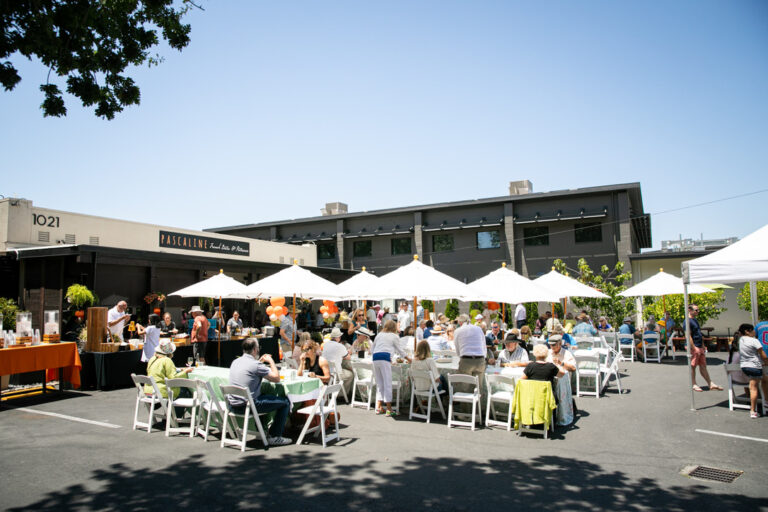
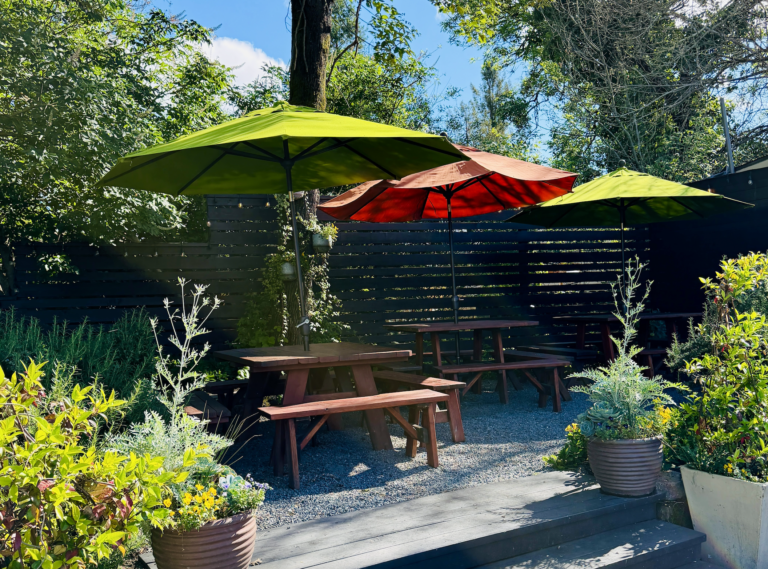
Unlike traditional event venues, Pascaline Bistro provides a personalized dining experience that feels both elegant and welcoming. Our team and chef work closely with you to create a customized experience tailored for your guests to make it an unforgettable dining experience. Let’s plan your event! Contact us for a quote.
What makes our French restaurant special is our commitment to authentic hospitality. We believe the best memories are created around the table. Food has a unique way of bringing people together, sparking conversation, strengthening relationships, and turning special occasions into lasting traditions. That philosophy is at the heart of everything we do. Guests enjoy chef-driven cuisine crafted with fresh, seasonal ingredients, thoughtfully selected wines, and attentive service in a relaxed yet sophisticated atmosphere.
Whether you’re gathering family for a milestone celebration, hosting colleagues for a corporate event, or bringing friends together for an intimate dinner, our goal is simple: to create an atmosphere where guests can relax, connect, and enjoy remarkable food together.
Start Planning Your Event
Let’s work together in creating an event that is memorable and delicious! Reach out to our team, and we can walk you through organizing the event, menu, pricing, and answer any questions.
We firmly believe that the internet should be available and accessible to anyone, and are committed to providing a website that is accessible to the widest possible audience, regardless of circumstance and ability.
To fulfill this, we aim to adhere as strictly as possible to the World Wide Web Consortium’s (W3C) Web Content Accessibility Guidelines 2.1 (WCAG 2.1) at the AA level. These guidelines explain how to make web content accessible to people with a wide array of disabilities. Complying with those guidelines helps us ensure that the website is accessible to all people: blind people, people with motor impairments, visual impairment, cognitive disabilities, and more.
This website utilizes various technologies that are meant to make it as accessible as possible at all times. We utilize an accessibility interface that allows persons with specific disabilities to adjust the website’s UI (user interface) and design it to their personal needs.
Additionally, the website utilizes an AI-based application that runs in the background and optimizes its accessibility level constantly. This application remediates the website’s HTML, adapts Its functionality and behavior for screen-readers used by the blind users, and for keyboard functions used by individuals with motor impairments.
If you’ve found a malfunction or have ideas for improvement, we’ll be happy to hear from you. You can reach out to the website’s operators by using the following email
Our website implements the ARIA attributes (Accessible Rich Internet Applications) technique, alongside various different behavioral changes, to ensure blind users visiting with screen-readers are able to read, comprehend, and enjoy the website’s functions. As soon as a user with a screen-reader enters your site, they immediately receive a prompt to enter the Screen-Reader Profile so they can browse and operate your site effectively. Here’s how our website covers some of the most important screen-reader requirements, alongside console screenshots of code examples:
Screen-reader optimization: we run a background process that learns the website’s components from top to bottom, to ensure ongoing compliance even when updating the website. In this process, we provide screen-readers with meaningful data using the ARIA set of attributes. For example, we provide accurate form labels; descriptions for actionable icons (social media icons, search icons, cart icons, etc.); validation guidance for form inputs; element roles such as buttons, menus, modal dialogues (popups), and others. Additionally, the background process scans all of the website’s images and provides an accurate and meaningful image-object-recognition-based description as an ALT (alternate text) tag for images that are not described. It will also extract texts that are embedded within the image, using an OCR (optical character recognition) technology. To turn on screen-reader adjustments at any time, users need only to press the Alt+1 keyboard combination. Screen-reader users also get automatic announcements to turn the Screen-reader mode on as soon as they enter the website.
These adjustments are compatible with all popular screen readers, including JAWS and NVDA.
Keyboard navigation optimization: The background process also adjusts the website’s HTML, and adds various behaviors using JavaScript code to make the website operable by the keyboard. This includes the ability to navigate the website using the Tab and Shift+Tab keys, operate dropdowns with the arrow keys, close them with Esc, trigger buttons and links using the Enter key, navigate between radio and checkbox elements using the arrow keys, and fill them in with the Spacebar or Enter key.Additionally, keyboard users will find quick-navigation and content-skip menus, available at any time by clicking Alt+1, or as the first elements of the site while navigating with the keyboard. The background process also handles triggered popups by moving the keyboard focus towards them as soon as they appear, and not allow the focus drift outside of it.
Users can also use shortcuts such as “M” (menus), “H” (headings), “F” (forms), “B” (buttons), and “G” (graphics) to jump to specific elements.
We aim to support the widest array of browsers and assistive technologies as possible, so our users can choose the best fitting tools for them, with as few limitations as possible. Therefore, we have worked very hard to be able to support all major systems that comprise over 95% of the user market share including Google Chrome, Mozilla Firefox, Apple Safari, Opera and Microsoft Edge, JAWS and NVDA (screen readers), both for Windows and for MAC users.
Despite our very best efforts to allow anybody to adjust the website to their needs, there may still be pages or sections that are not fully accessible, are in the process of becoming accessible, or are lacking an adequate technological solution to make them accessible. Still, we are continually improving our accessibility, adding, updating and improving its options and features, and developing and adopting new technologies. All this is meant to reach the optimal level of accessibility, following technological advancements. For any assistance, please reach out to